Update 1.6.0
What’s New:
-
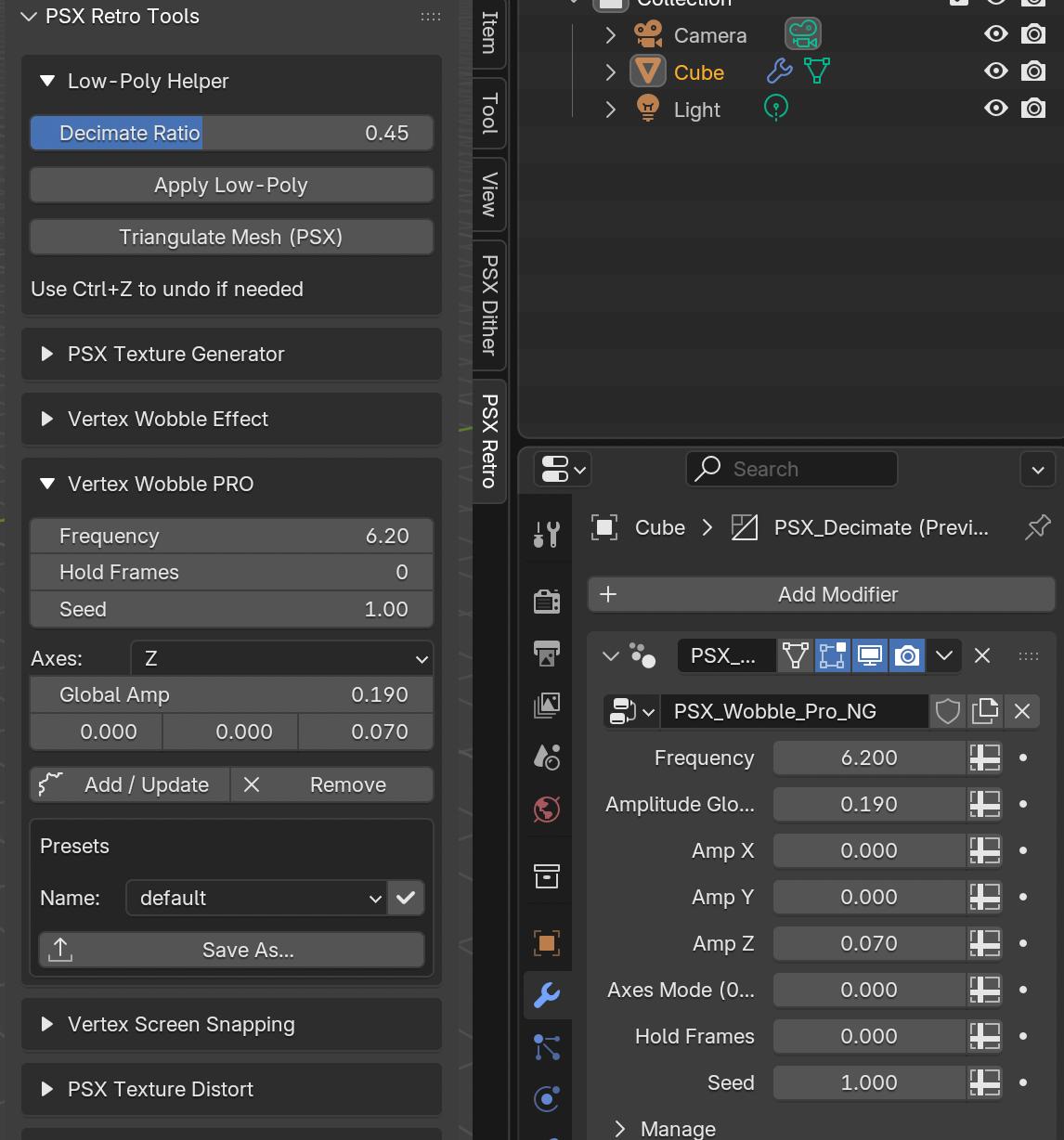
🔁 Vertex Screen Snapping now updates in real time
The Camera and Size parameters in the panel now instantly apply to the Vertex Snapping modifier nodes — no need to press “Update” anymore
-
🪓 Low-Poly Helper now features live preview
When adjusting the Decimate Ratio slider, the reduction result is immediately visible in the viewport
The Apply Low-Poly button simply applies the current preview (or creates and applies the modifier if it doesn’t exist)
-
🌊 Vertex Wobble PRO is now fully interactive
All parameters (Frequency, Hold, Seed, Axes, Global Amp, Amp X/Y/Z) update the effect in real time directly in the scene
The Add / Update button still creates or links the modifier — once active, live updates start automatically
-
🔺 New “Triangulate Mesh (PSX)” button added
A new command in the Low-Poly Helper section converts polygons to triangles in true PSX style, with a choice of triangulation method
Leave a comment
Log in with itch.io to leave a comment.